How to put a Pomodoro timer on your iPhone lock screen
Keep your focus countdown on the lock screen and Dynamic Island with Live Activities, so you never have to unlock your phone to check it.
 Airbok team
4 min read
Quick answer
Use a Pomodoro app that supports Live Activities. In Omeu, set your focus and break lengths and start a session: the countdown appears on the lock screen and in the Dynamic Island. If it doesn't, allow Live Activities in Settings.
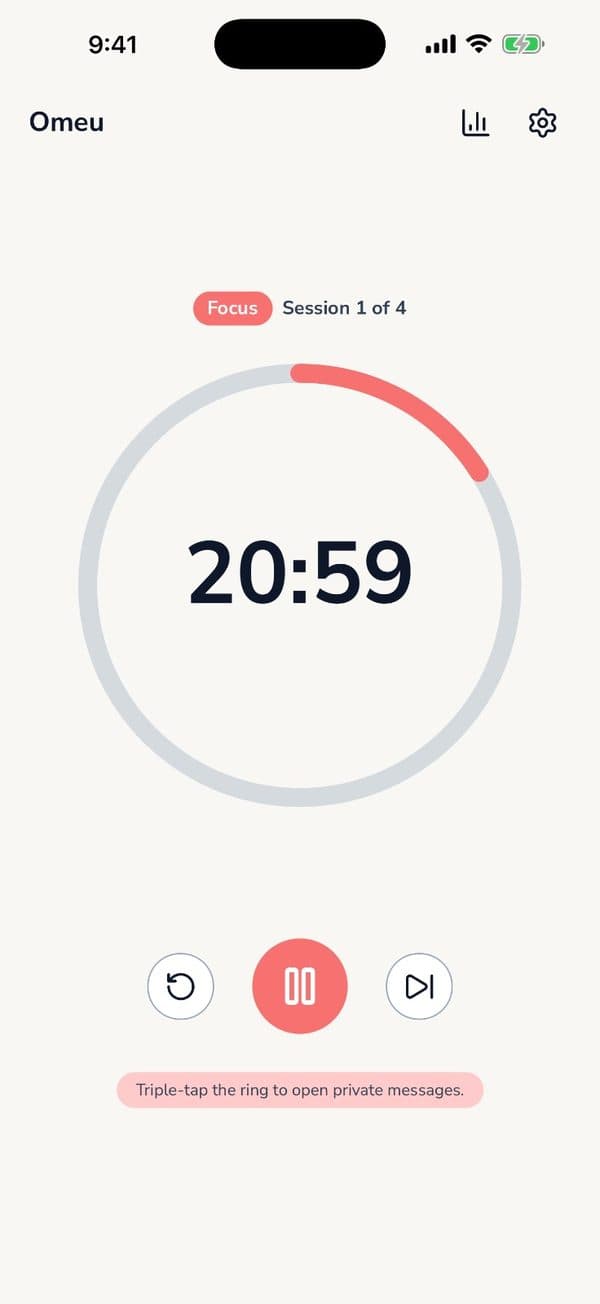

The built-in iPhone timer can show on your lock screen, but it doesn't know about focus sessions, breaks or rounds. If you work in Pomodoros, you want a timer that does.
What Live Activities do
Live Activities are iOS's way of showing something that's happening right now, like a delivery or a sports score, on your lock screen and in the Dynamic Island. A focus timer is a perfect fit: one glance tells you how long is left.
Set it up with Omeu
- Install Omeu from the App Store.
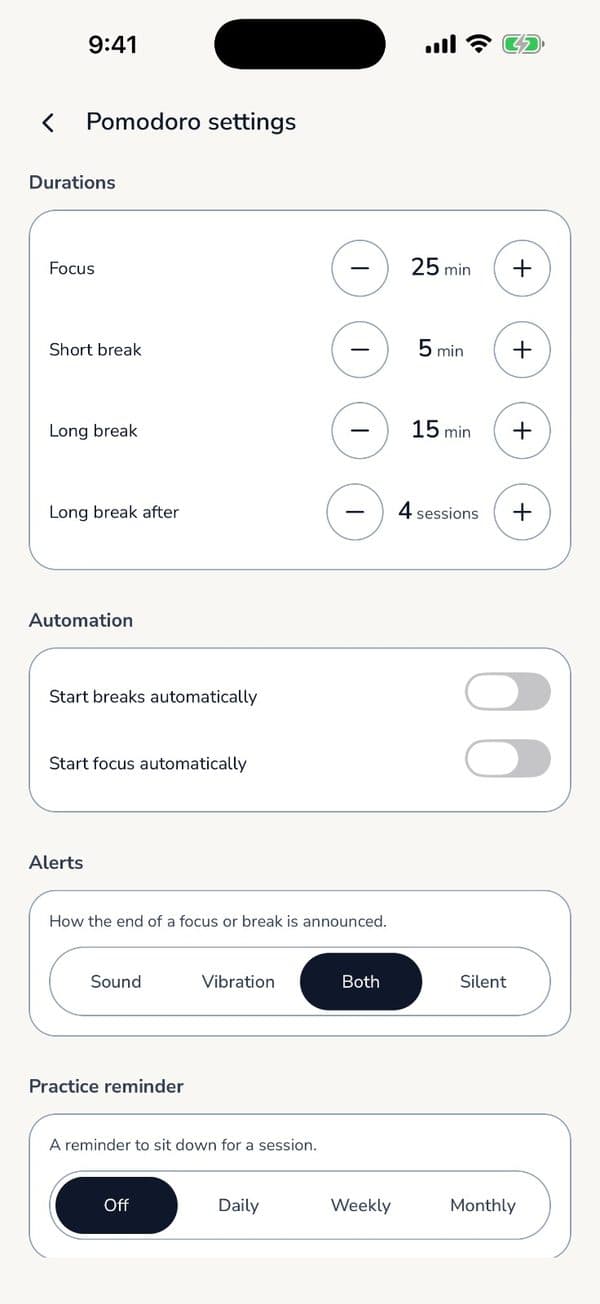
- Choose your focus length, break length and when long breaks happen.
- Start a session. The countdown appears on your lock screen and, on supported iPhones, in the Dynamic Island.
- Turn on auto-start if you want the next session or break to begin on its own.
Why it helps
Every unlock is a chance to get distracted. With the timer on the lock screen, checking it costs you nothing. Your session keeps going, and so do you.